Ebook to Audiobook Guide 2026: A Chapter-Based Workflow That Actually Works
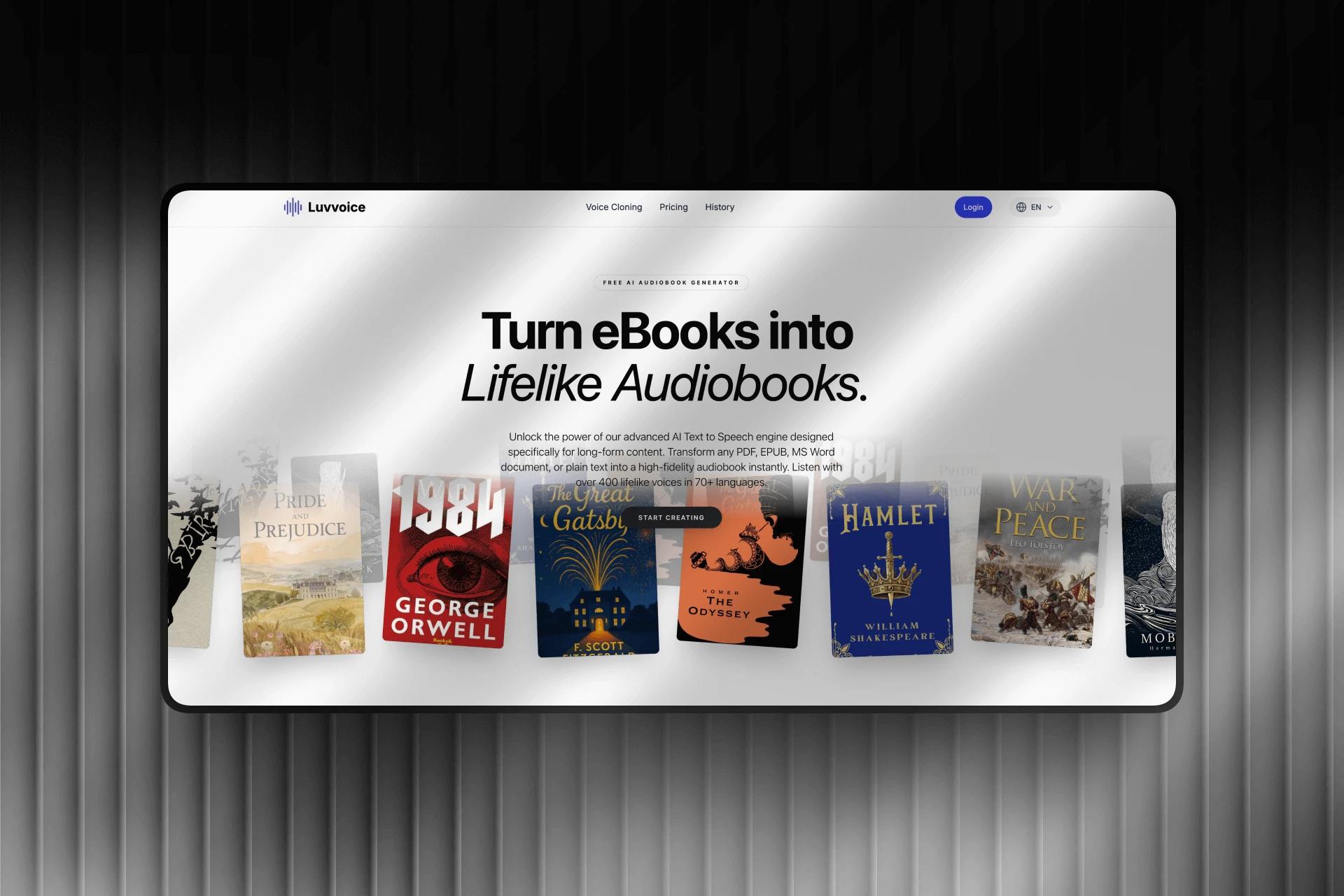
If you have ever tried to turn a real ebook into audio, you already know the problem: the demo is easy, the day-to-day workflow usually is not. A lot of tools can read text aloud. Far fewer handle long-form files in a way that still feels usable once you are dealing with chapters, playback progress, exports, and coming back later on another device.
That is why I do not think "ebook to audiobook" is mainly a voice-quality question. It is a workflow question. Can you upload a book without copy-pasting? Can you preview the structure before you commit credits? Can you start listening before the entire conversion is finished? Can you export something that still behaves like a book instead of one giant audio dump?
After reviewing the public ebook to audiobook workflow and the current dashboard flow behind it, that is the main thing Luvvoice gets right. It does not treat long-form listening as a side feature bolted onto a standard text box. It treats books like books.
Why long-form conversion is harder than it looks
Short text-to-speech is straightforward. Paste a paragraph, choose a voice, generate an MP3, done.
Books are different. They have chapters, pacing, metadata, and much longer listening sessions. A workflow that feels fine for a 90-second voiceover can get messy fast when you are converting a textbook, a multi-chapter EPUB, or a draft manuscript.
In practice, four things usually make or break the experience:
- whether the file keeps its structure after upload
- whether you can review chapters before conversion
- whether playback starts before the whole job is complete
- whether the export format still supports long-form listening
That is exactly where many document-to-audio tools start to feel thin. They can generate speech, but they do not give you a good way to live with the result.
What Luvvoice promises on the landing page
The public product page sets the right expectation. Luvvoice frames the feature around long-form content rather than generic TTS snippets: ebooks, PDFs, Word documents, and plain text turned into audiobook-style listening with natural AI voices and broad language coverage.
That positioning matters. It tells users this is not just a generic AI voice generator with a file upload button added later. It is supposed to work for reading-heavy use cases like study material, public-domain books, long reports, and manuscripts you want to hear instead of stare at.
Another smart touch is that the page does not only ask you to upload your own file. It also points readers toward free ebooks with audio, which gives people a low-friction way to hear chapter-based playback before they commit their own content.
What the dashboard adds in practice
The real test, though, is the dashboard. That is where feature claims either hold up or collapse.
In the current Luvvoice flow, the upload step accepts EPUB, PDF, TXT, and Word files, with a 50MB file limit in the upload UI. More importantly, the process does not jump straight from upload to blind conversion. After parsing, you land on a preview screen that shows the book structure chapter by chapter.
You can see:
- the total number of chapters
- total character count
- per-chapter character counts
- short chapter previews
- an estimated time for the conversion
This is the kind of detail that helps in real use. If you are working with a novel, you can quickly check whether the parsing looks clean. If you are uploading a dense textbook or a converted document, you can spot structure problems early instead of discovering them after the whole job is done.
The same screen also lets you choose a voice, adjust speech speed, and rename the audiobook title before conversion starts. Renaming sounds minor until your library starts filling up with drafts, revisions, and files with messy export names.
The confirmation dialog gets one more practical thing right: it makes it clear that conversion can continue in the background. You are not trapped on the page waiting for a spinner to finish. For long-form jobs, that matters a lot.
Why chapter-based listening changes the experience
This is the feature that really separates an audiobook workflow from a normal file-to-speech tool.
Luvvoice does not make you wait for the entire book before anything becomes useful. The player is built so you can start listening to completed chapters while the remaining ones are still processing. If you have ever converted a long document and stared at a progress bar for fifteen minutes just to test the result, you know how much better this feels.
It also changes the failure case. When conversion is handled chapter by chapter, one bad section does not automatically ruin the whole book. The current player flow even includes retry support for failed chapters, which is exactly the kind of detail experienced users care about. Restarting a 30-chapter book from zero because one section failed is not a serious workflow.
The chapter-based player itself is built around real listening habits:
- play completed chapters immediately
- move chapter by chapter instead of scrubbing one giant timeline
- jump backward or forward during playback
- change listening speed inside the player
That is a better fit for study sessions, long commutes, and serialized listening. It also makes the feature more useful for nonfiction, where people often revisit one section instead of replaying an entire file.
MP3 or M4B? Pick the format that matches how you listen
Export format sounds like a boring detail until you use the wrong one.
Luvvoice currently offers both MP3 and M4B export. That is a strong choice because those two formats solve different problems.
MP3 is the safer option if you want maximum compatibility. It plays almost anywhere, it is easy to move between devices, and it works well when your main goal is simple offline listening.
M4B is the more audiobook-native option. It supports chapter navigation and bookmarks, which matters much more on a 7-hour book than it does on a short voice clip. If you like resuming exactly where you stopped, or you want chapter markers to survive after export, M4B is the better fit.
There is a tradeoff, of course. M4B is not as universally supported as MP3. That is not a flaw in the feature. It is just the reality of the format. The good part is that Luvvoice does not force you into one choice. You can pick the format based on how and where you actually listen.
That is the right way to think about audiobook export: MP3 for reach, M4B for structure.
A personal audiobook library matters more than it sounds
One-off conversion is easy to demo. Ongoing library management is what turns a feature into a habit.
The current dashboard keeps a recent audiobook history with search, rename, share, and delete actions. You can reopen completed titles, return to active conversions, or clean up the library when you no longer need a file. That is a much more useful setup than forcing users to re-upload a document every time they want to revisit it.
The player and history view also work together in a sensible way. If a book is still converting, you can reopen the task and continue from the current chapter status. If it is done, you can jump back into playback or download the finished files.
There is also a retention notice in the current history view reminding users to download completed audiobooks before they expire from the dashboard. I actually like that the product surfaces this operational detail instead of pretending storage is infinite. It sets a clearer expectation and nudges people to keep local copies of the files they care about.
Who will get the most value from this feature
The obvious audience is readers who want to turn screen time into listening time. But the better answer is a little more specific.
This workflow is especially useful for:
- students working through long readings and textbooks
- professionals who want to listen to reports, drafts, or internal documents on the move
- writers who want to hear pacing, repetition, and awkward phrasing in their own manuscript
- accessibility-focused users who prefer listening over long visual reading sessions
- multilingual users who want a long-form listening workflow instead of a paragraph-level TTS tool
If most of your source material is reports and study files rather than full books, the site’s PDF to speech guide is also worth reading. And if you expect larger recurring usage, it makes sense to check current pricing so your plan matches the volume of conversion you actually need.
Why trust this guide
This article is based on the current public ebook-to-audiobook page and the dashboard workflow behind it, including upload behavior, chapter preview, background conversion, playback, export options, and library management.
The evaluation here is not "which tool has the flashiest marketing line." It is based on the parts that usually matter after day one: setup friction, chapter handling, format choice, playback continuity, and what happens when a long conversion is still in progress.
Final thoughts
The strongest thing about Luvvoice’s ebook-to-audiobook feature is not any single checkbox. It is the way the pieces fit together. Uploading, chapter preview, voice selection, background conversion, partial listening, player controls, and MP3 or M4B export all point in the same direction: this is meant for real long-form use.
If you are comparing tools, that is the question I would keep in mind. Not just "Can it turn text into speech?" but "Can I actually use it like an audiobook workflow once the file gets long?"
If that is what you need, start with the ebook to audiobook workflow, test it on a real file, and then compare the result to the way you actually read, commute, study, and revisit content. That is usually where the difference becomes obvious.